Learn how folder mappings automatically organize your documents
Folder Mapping
A folder mapping lets you automatically route uploaded documents into designated folders based on their document type - no manual sorting required.
How It Works
When you upload a document to the root folder (My Drive), 1Flow automatically:
- Uses AI to identify the document type (e.g., Invoice, Receipt, Bank Statement)
- Looks up any folder mapping rules configured for that type
- Moves the document to the appropriate folder
Documents uploaded directly to a specific folder remain there - folder mappings only apply to documents uploaded to My Drive or via email/webhook.
Setting Up Folder Mappings
To configure a folder mapping:
- Go to Apps in the navigation menu
- Select Document Types
- Choose the document type you want to configure
- Open the Folder Mappings section
- Click + Add Mapping
- Select the target folder
- Enter an extraction hint (helps the AI process the document)
- Choose a transaction type (None, Income, or Expense)
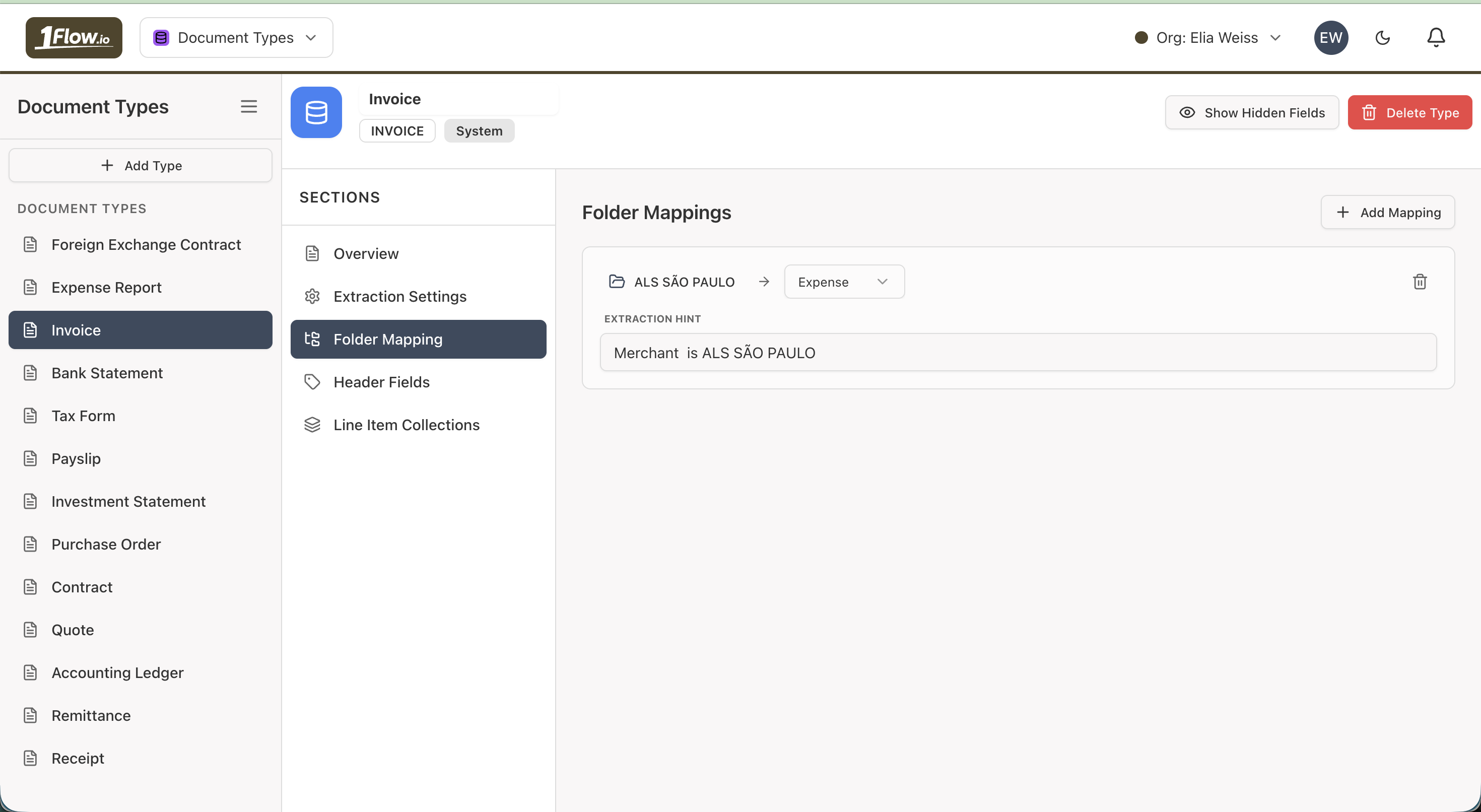
Example
Suppose you map the "Invoice" document type to a folder called "Invoices":
- An invoice uploaded to My Drive is automatically moved to Invoices
- An invoice uploaded directly to 2024 Documents stays in 2024 Documents
Benefits
Default Folder
If no folder mapping matches a document, 1Flow falls back to the default folder configured for that document type.
You can set the default folder in the Extraction Settings section of the document type configuration.
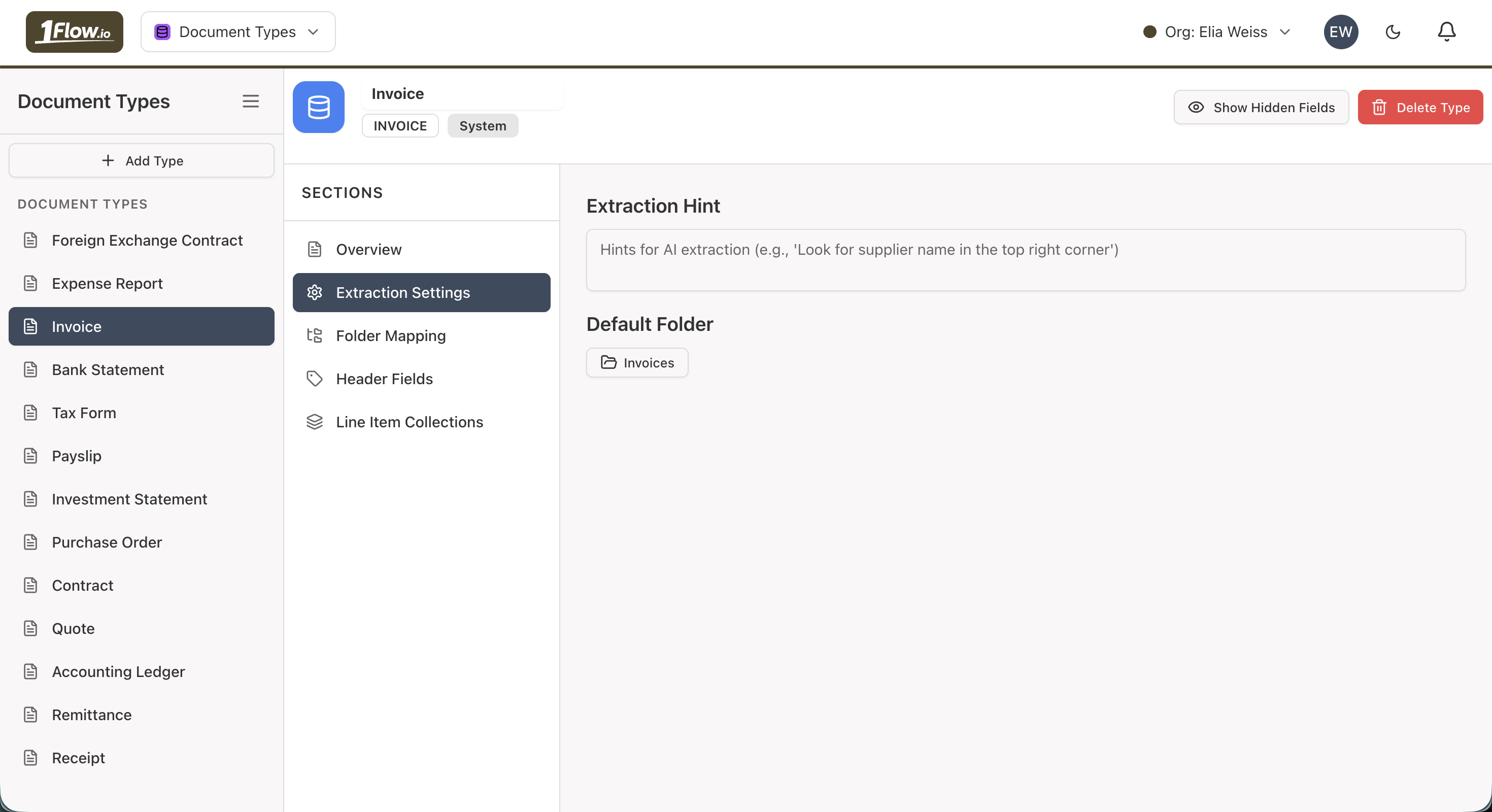
Full Flow
The folder mapping and default folder logic applies only when a document is uploaded to My Drive or received via email/webhook.
- A document is uploaded to My Drive (or arrives via email/webhook)
- AI classifies the document type
- If a folder mapping matches, the document is moved to the mapped folder
- Otherwise, the document is moved to the default folder for its document type
- Folder mappings take precedence over the default folder.
- If no match found for folder mapping then default folder for the document type, the document stays in the root folder (My Drive).