Overview
Tasks allow you to schedule automated workflows that run on predefined schedules. Perfect for reminders, reports, automated reconciliation, and other recurring processes.
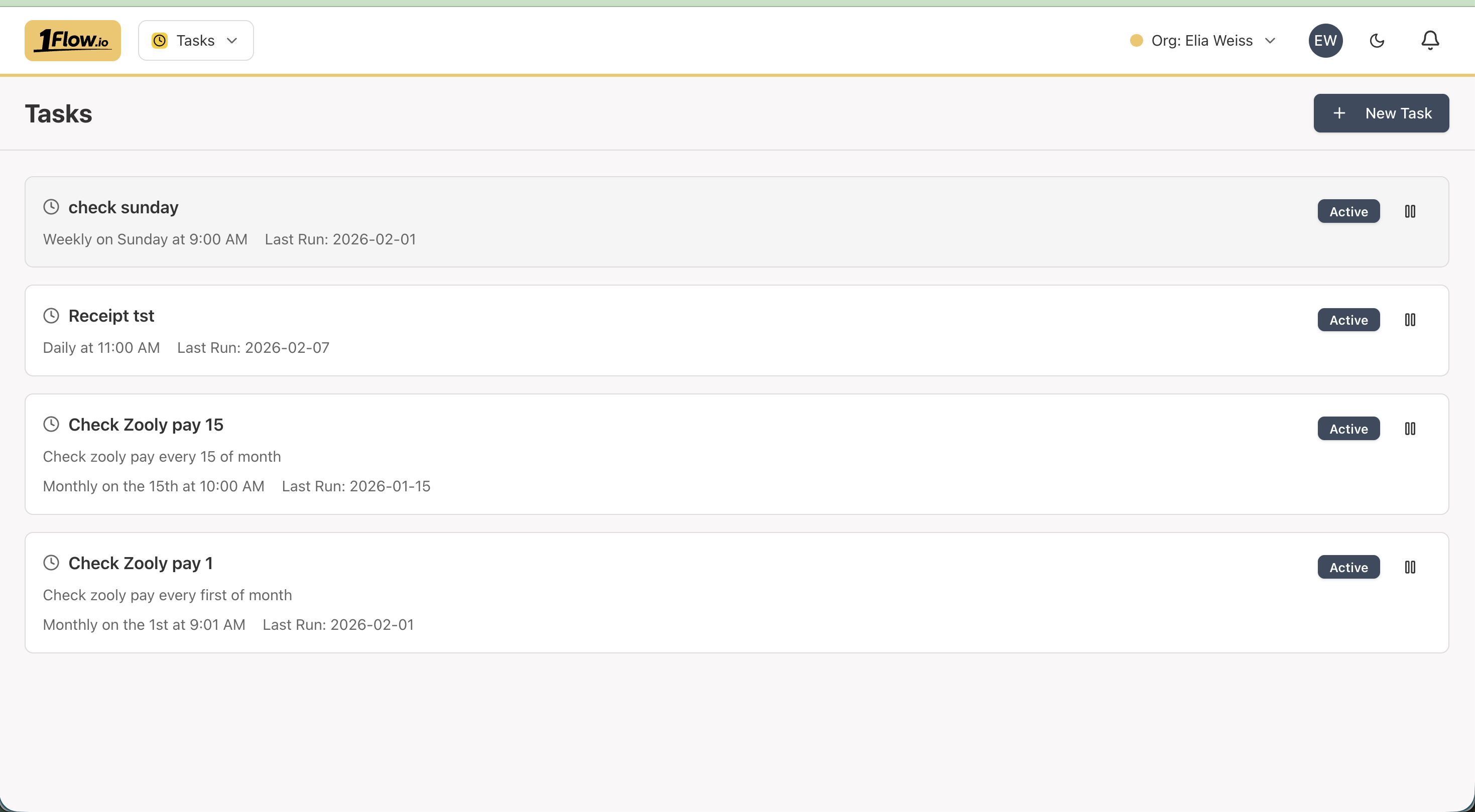
Scheduled Tasks
Run tasks automatically on a schedule:
- Daily, weekly, monthly, or custom intervals
- At specific times
- On specific days of the week or month
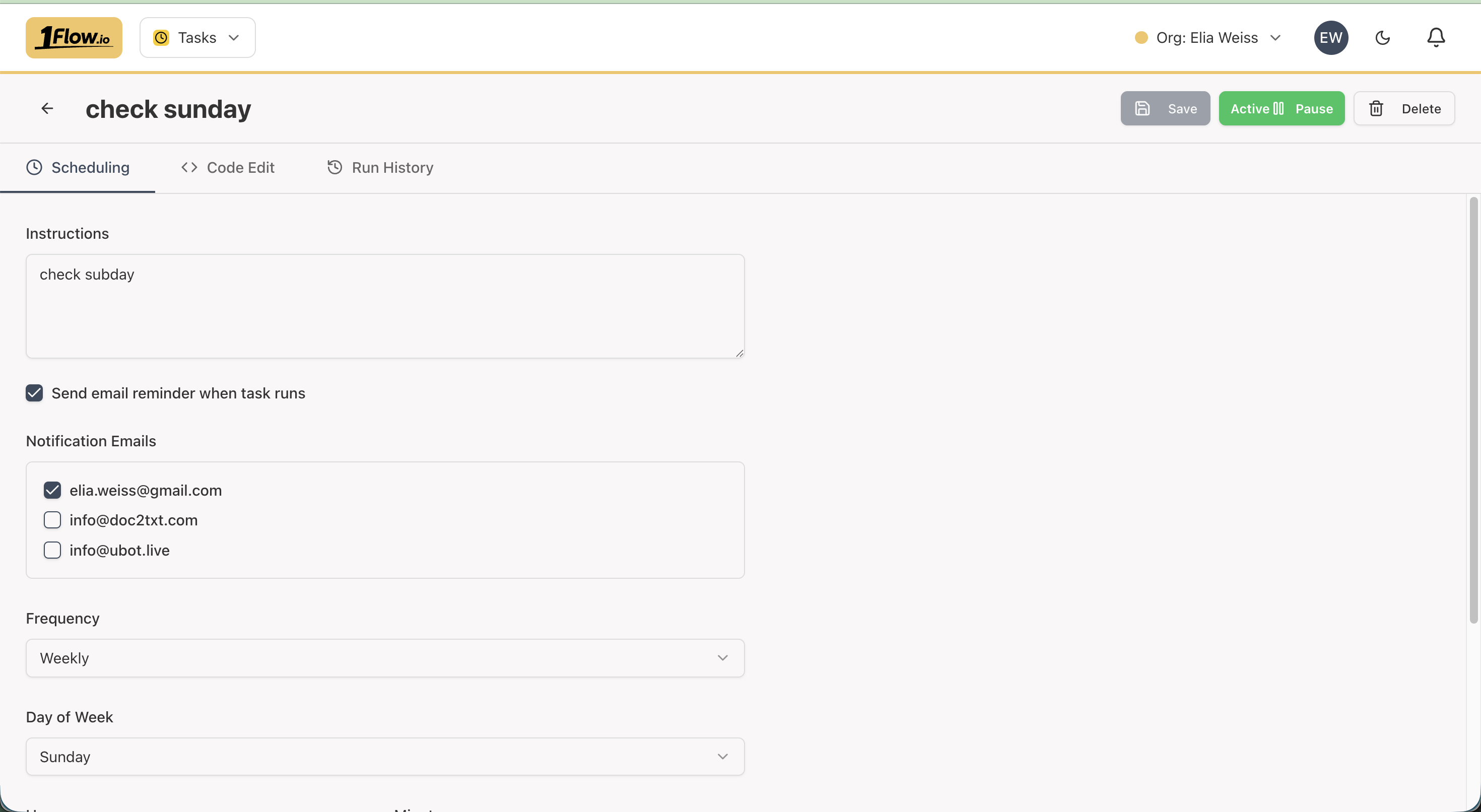
Task Capabilities
Data Processing
Tasks can process your financial data:
- Run reconciliation workflows
- Generate reports
- Process documents
- Update data
Notifications
Tasks can send notifications:
- Email reminders
- In-app notifications
- Custom alerts
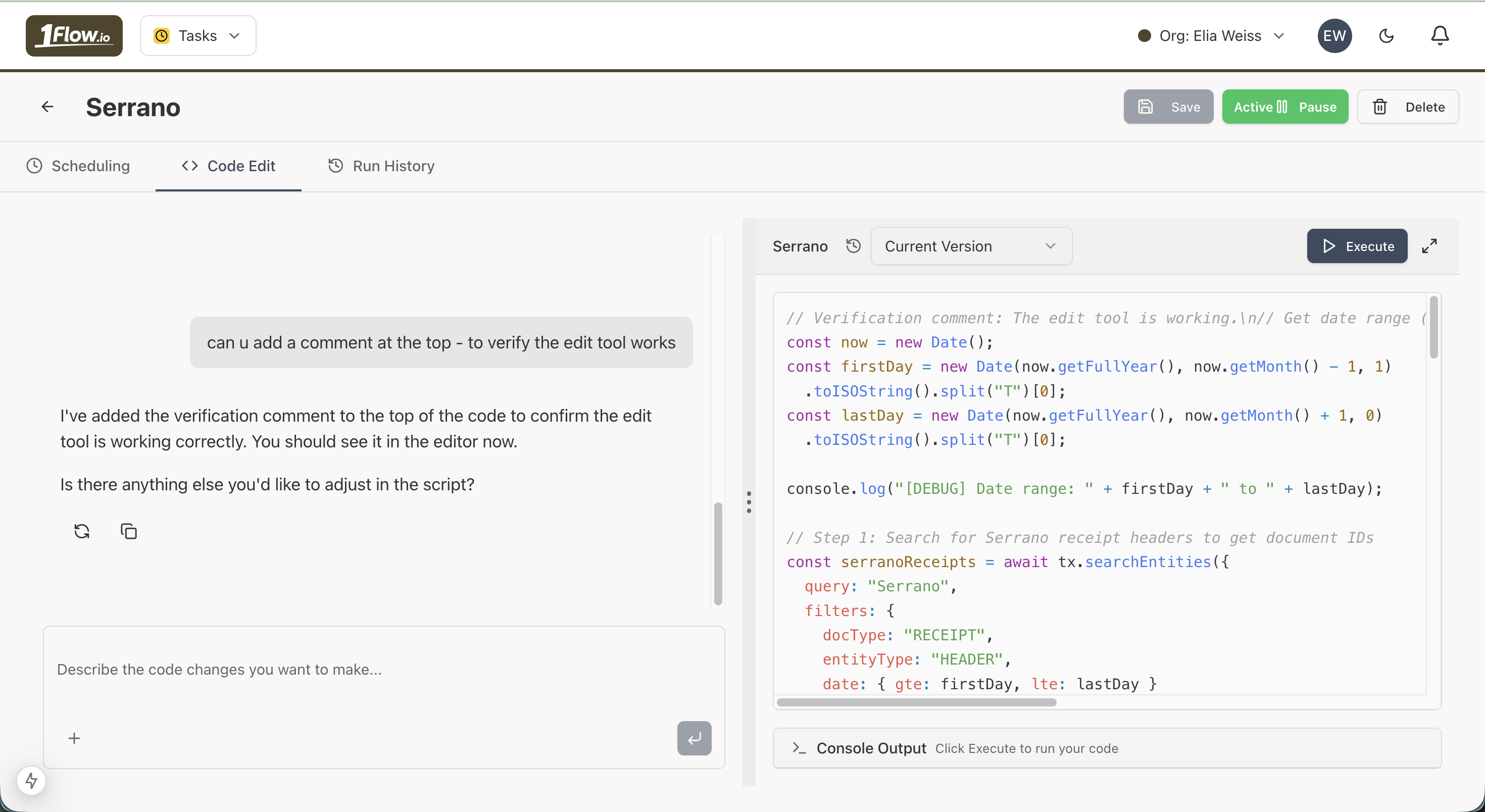
AI-Powered Task Creation
Use AI chat to generate task code from natural language, similar to AI Builder:
- Describe what you want the task to do in plain language
- AI generates the task code automatically
- Review and customize the generated code as needed
Creating Tasks
- Navigate to the Tasks app
- Click "Create Task"
- Configure the task:
- Name and description
- Schedule (frequency and timing)
- Task code or mini-app to run
- Parameters and settings
- Save and activate the task
Task Execution
Tasks run automatically according to their schedule:
- View execution history
- Monitor task status
- Review execution logs
- Handle errors and retries
Use Cases
Automated Reconciliation
Schedule reconciliation tasks to automatically match transactions:
- Daily bank reconciliation
- Weekly invoice matching
- Monthly statement processing
Report Generation
Generate and distribute reports automatically:
- Weekly financial summaries
- Monthly expense reports
- Quarterly analytics
Reminders
Set up reminders for important dates:
- Payment due dates
- Document submission deadlines
- Review schedules
Tasks enable you to automate repetitive workflows and ensure important processes run consistently.